
Bring your list.
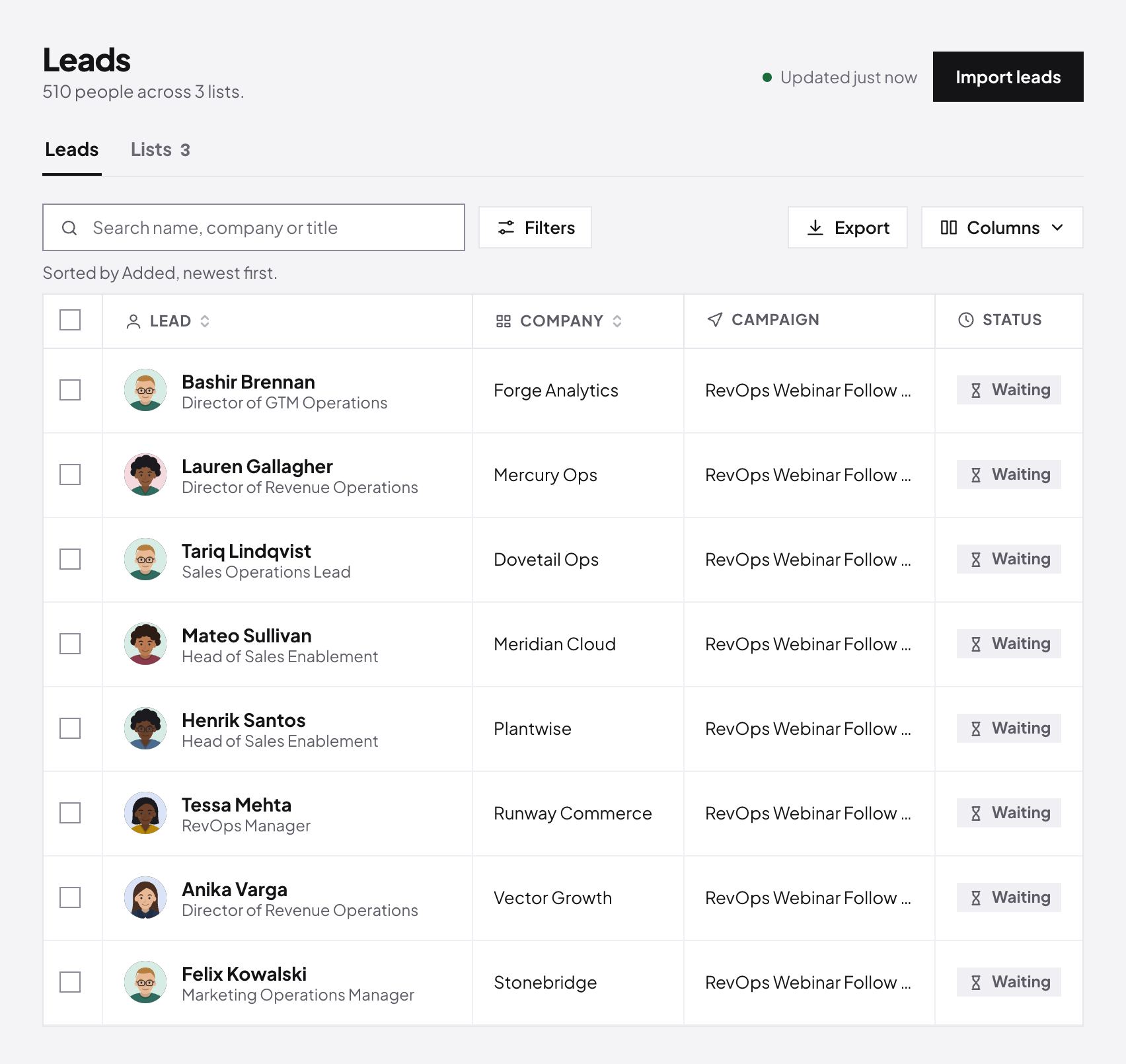
Import leads from a CSV, map its columns, and see every lead, company and status in one table.
Connect your team's LinkedIn accounts, launch campaigns that run at a human pace, and handle every reply from a single Master Inbox.
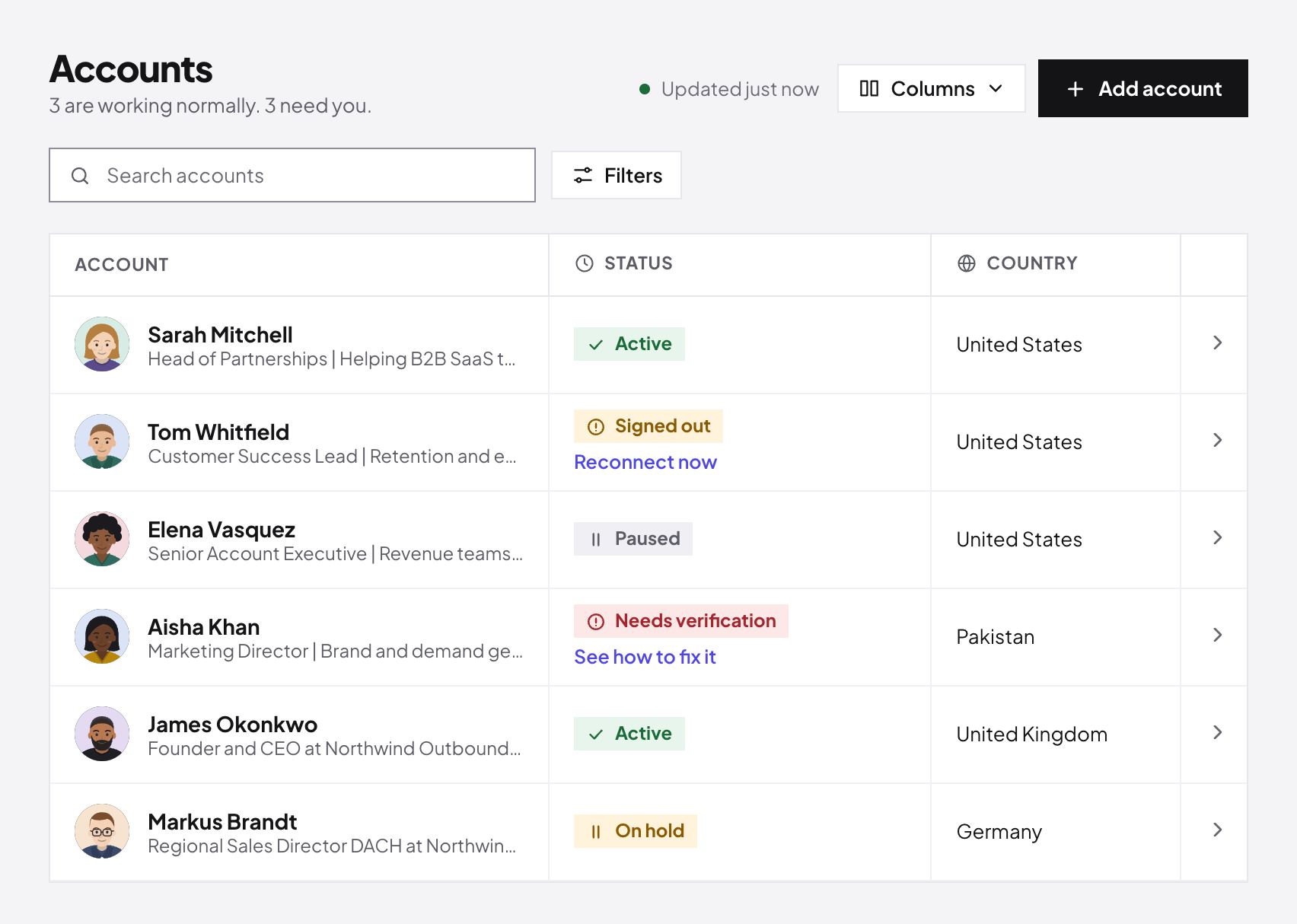
Passwords get passed around, nobody knows who is signed in where, and one mistake puts an account at risk.
Answers land in five different inboxes and browser tabs. Good leads sit unread for days.
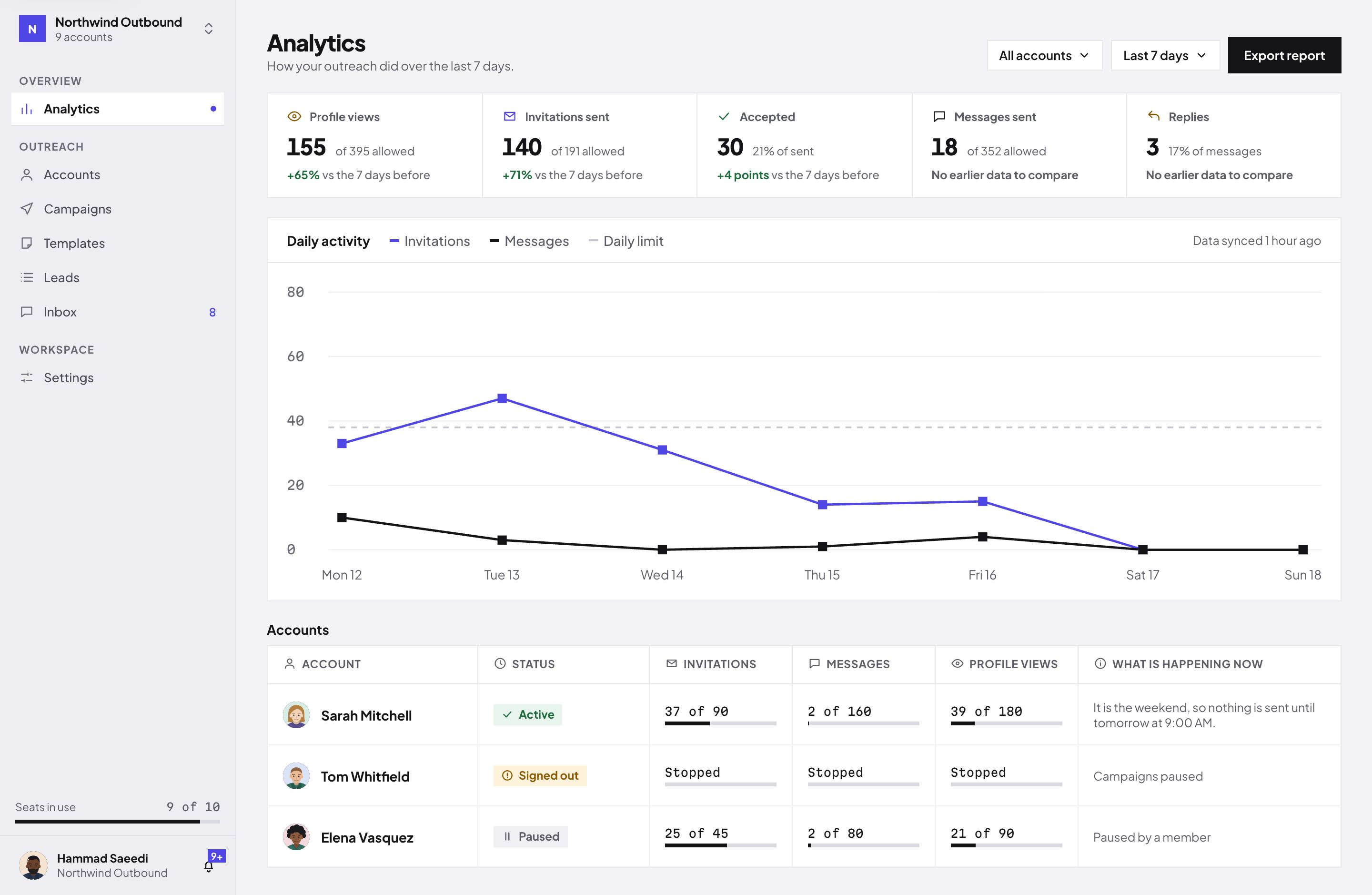
Nobody can say which account is busy, which one is stuck and which campaign is actually working.
Each connected account gets its own working hours, its own weekly limits and one steady connection, so it behaves like one person doing their work. New accounts start slowly and build up. When something needs attention, the account pauses itself and tells you.
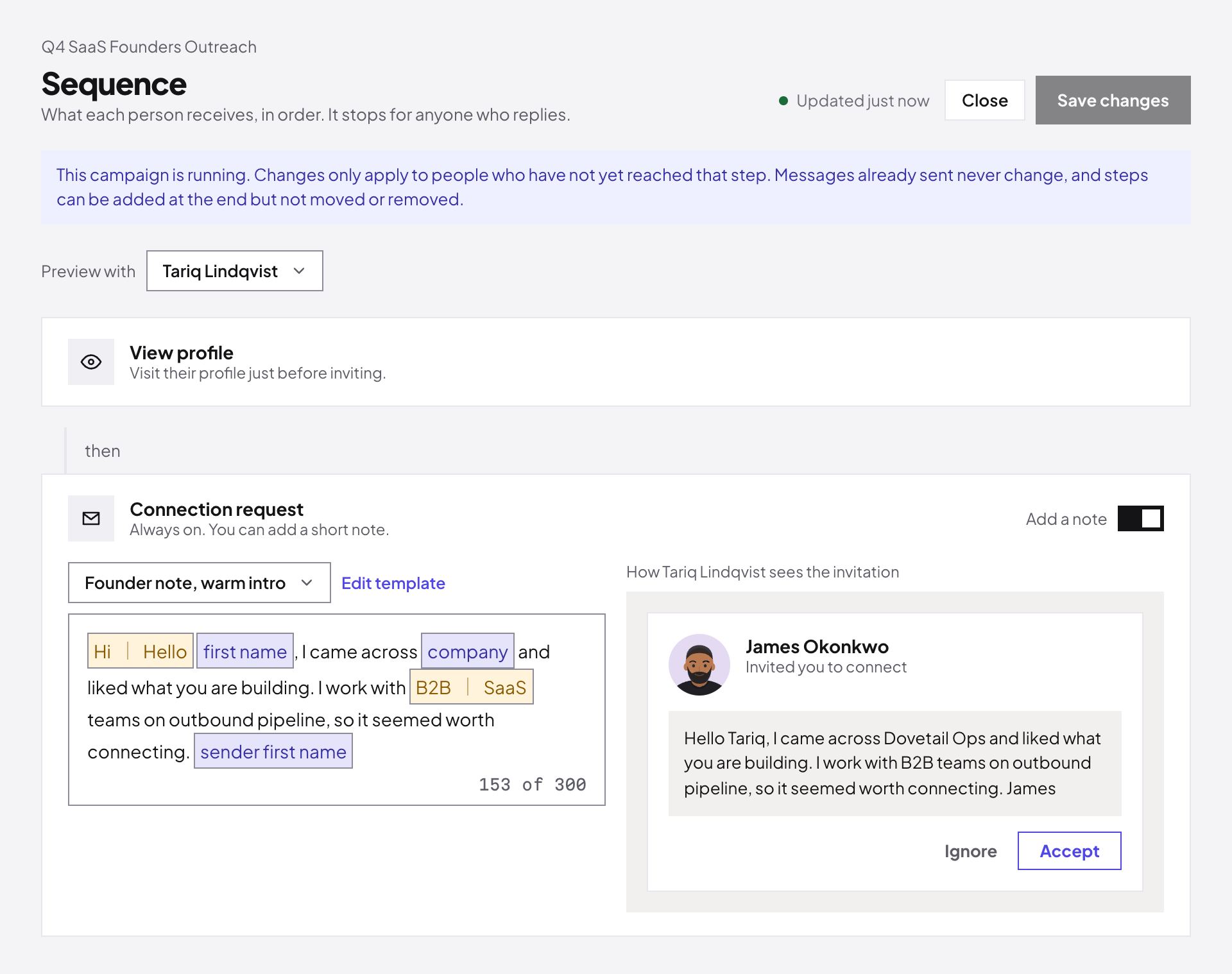
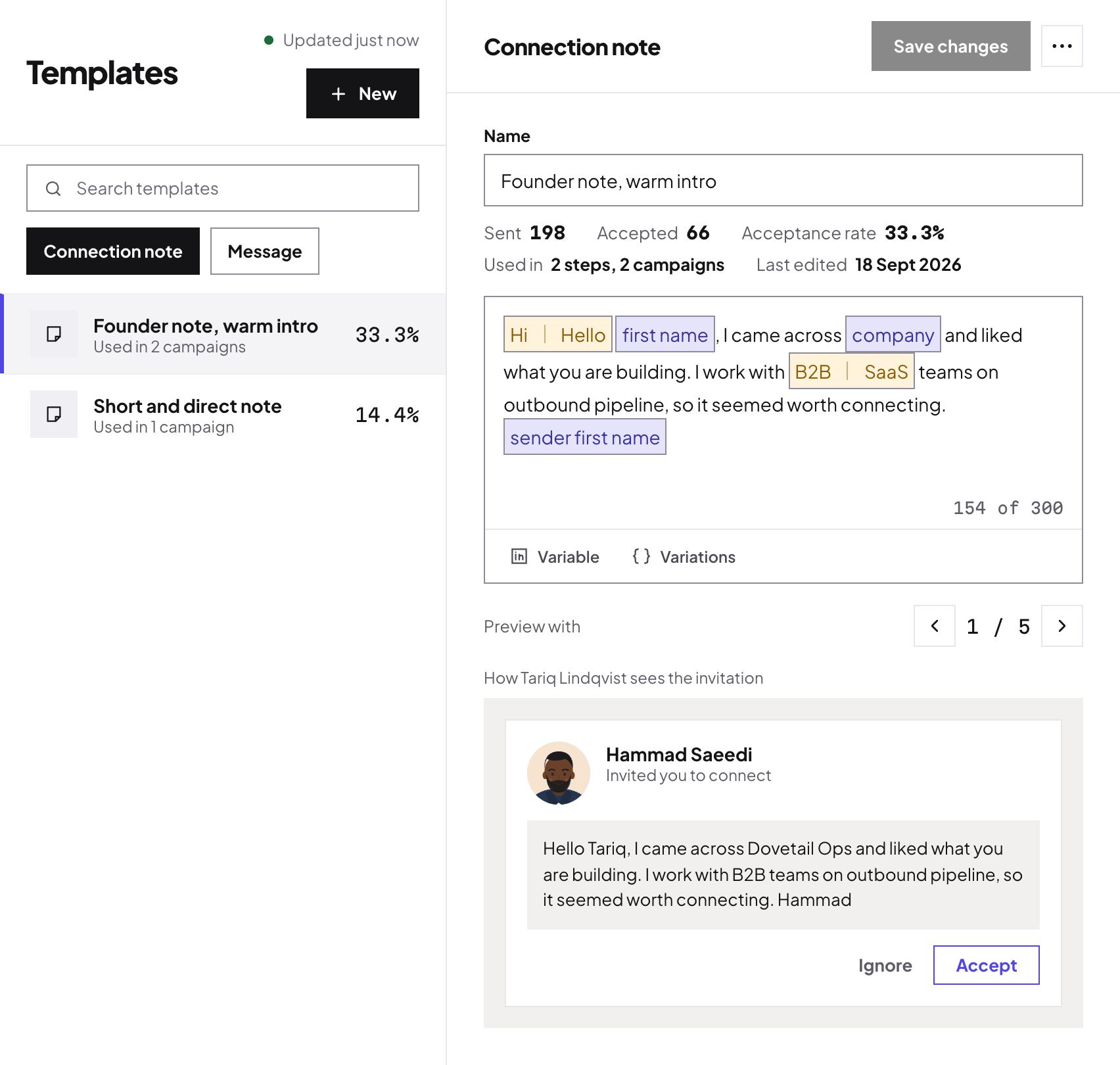
Build a sequence of profile views, connection requests and messages. Names and companies fill in by themselves, your wording varies, and you see exactly what each lead will receive before anything goes out. When someone replies, the sequence stops for them.
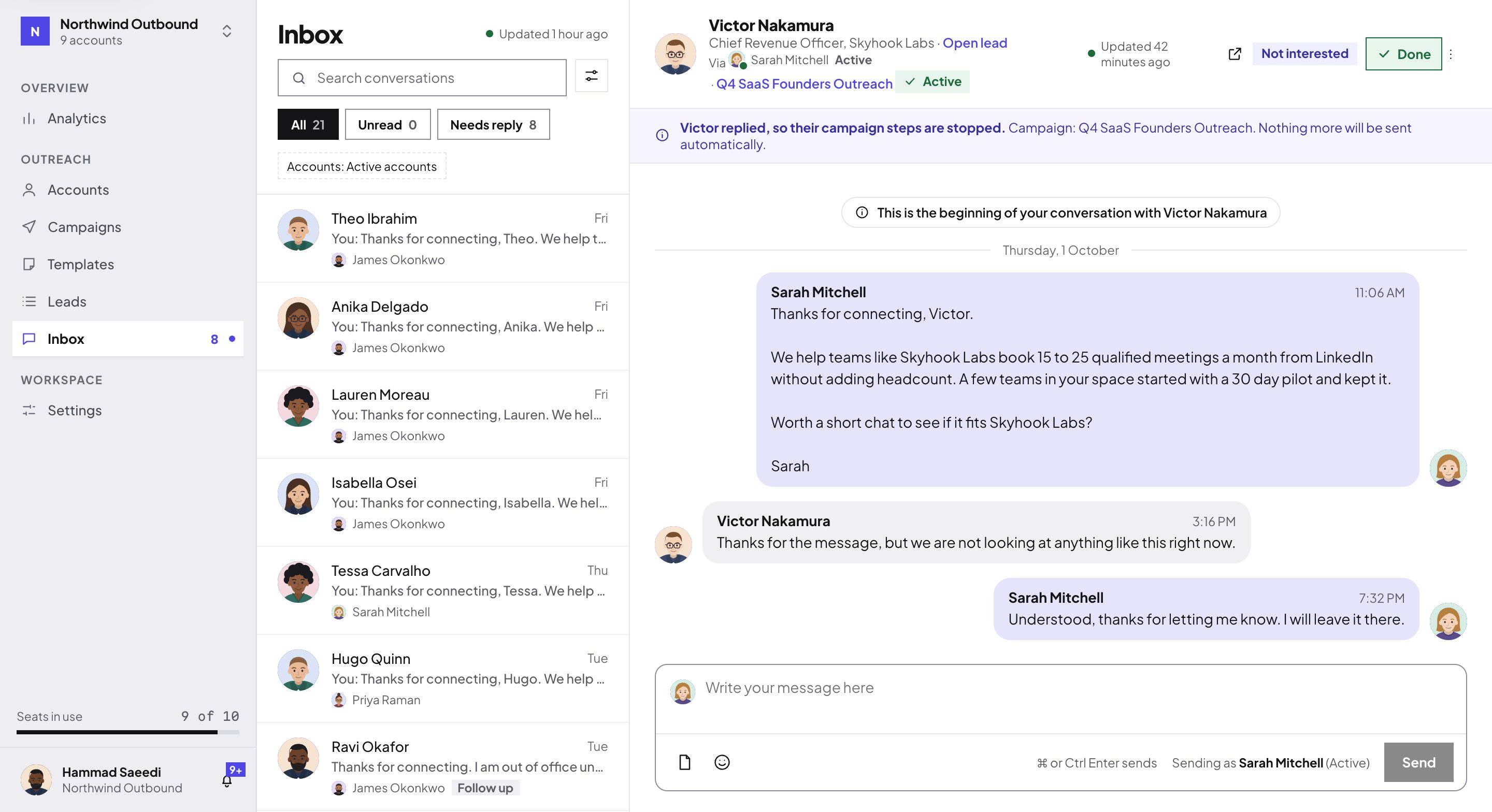
Replies from every connected account land in the same place. Open a conversation, answer from the account the lead wrote to, tag it and mark it done. You choose which teammates see which accounts.
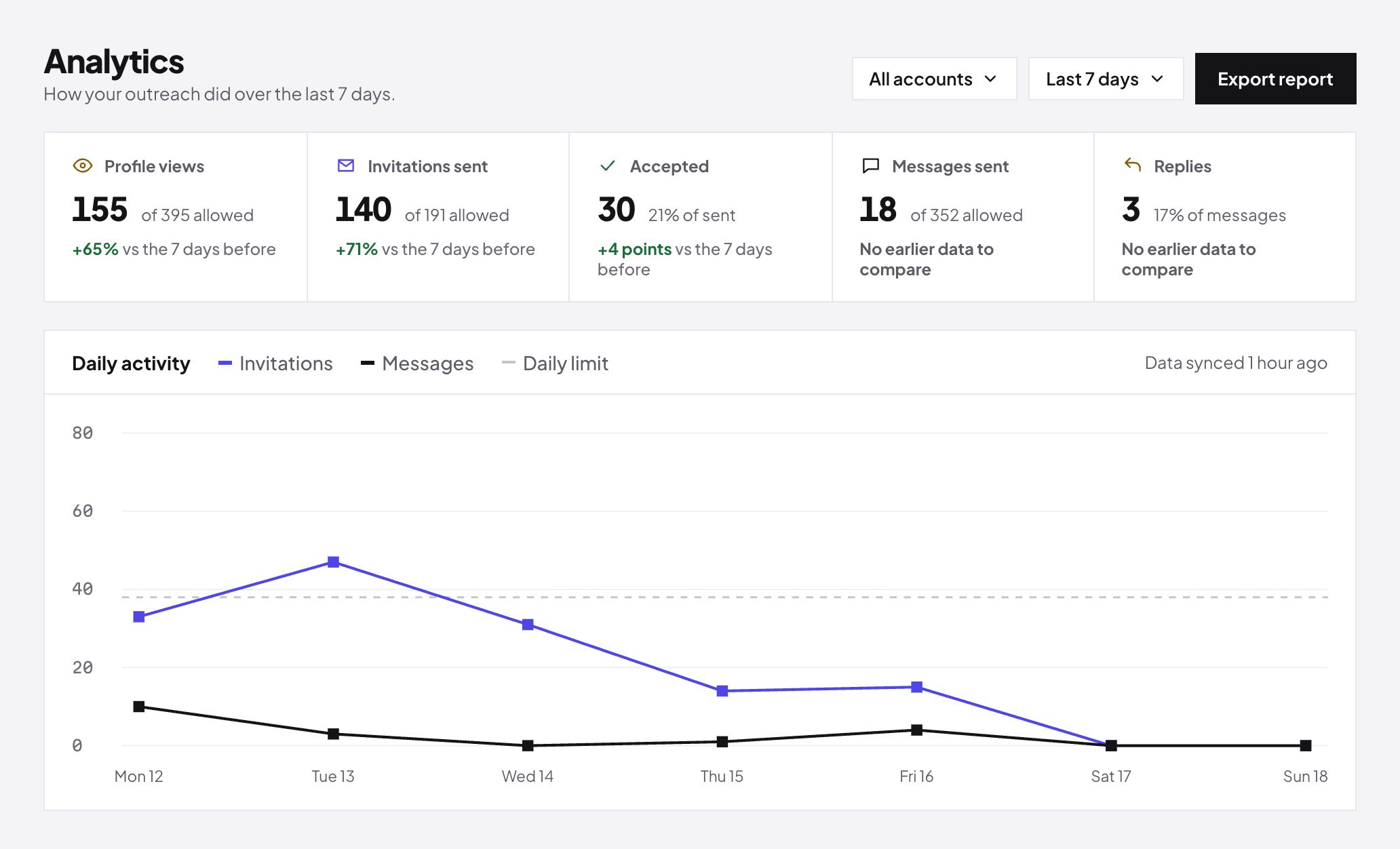
Profile views, invitations, accepted connections, messages and replies, by day, by account and by campaign. See how close each account is to its limits, and export a report whenever you need one.
Import leads from a CSV, map its columns, and see every lead, company and status in one table.
Save what works as a template and reuse it in any campaign, with the acceptance rate right beside it.
Install the Chrome extension and connect your own account, or send a link to a colleague or a client. They connect theirs without joining your workspace.
Import your leads, write the sequence and set the working hours. A short guide points to each first step.
Replies are checked through each account's working hours and land in the Master Inbox. Reply from there and watch the results build up.
Run many clients from one organization, with their accounts, leads and conversations kept apart.
Each client has a workspace of their own. Agency plans include up to 20 workspaces, and more on request.
Send a link and the account owner connects it themselves. They never need a login to your workspace.
Seats across all your workspaces are billed together on one consolidated invoice.
Your accounts took years to build. Every one runs inside limits that you can tighten and never loosen.
Each connected account uses one seat.
$20per seat, each month
Your card is needed to start. Nothing is charged for 7 days.
$17per seat, each month
Pay when you check out.
Install our Chrome extension, open LinkedIn as you normally do and pair the extension with the code the app shows you. To connect someone else's account, send them a link and they connect it themselves.
No. You never type your LinkedIn password into the app. The extension connects the session from your own browser.
Yes. Send a link, and the account owner connects theirs without joining your workspace or seeing your other accounts.
Replies from every connected account arrive in one list. Open a conversation, reply from the right account, tag it and mark it done. You decide which teammates can see which accounts, and you can turn reply emails on or off.
Every account has its own working hours and its own weekly limits for invitations, messages and profile views. Activity is spread across your active days. You can lower the limits, and new accounts start slowly and build up.
Its campaigns pause and you get an email. The account's settings and history are kept, and you reconnect it from the Accounts page to carry on.
A seat is paid capacity. Each LinkedIn account you connect uses one seat, and removing an account frees its seat at once.
Standard starts with 7 free days. You enter your card with our payment provider, and nothing is charged until the trial ends. Cancel before then and you pay nothing.
Connect an account, launch a campaign and watch the replies arrive in your Master Inbox.
See plans and start